
The Voice AI Email Capture Problem Nobody Talks About (And How We Solved It)
The Voice AI Email Capture Problem Nobody Talks About (And How We Solved It)
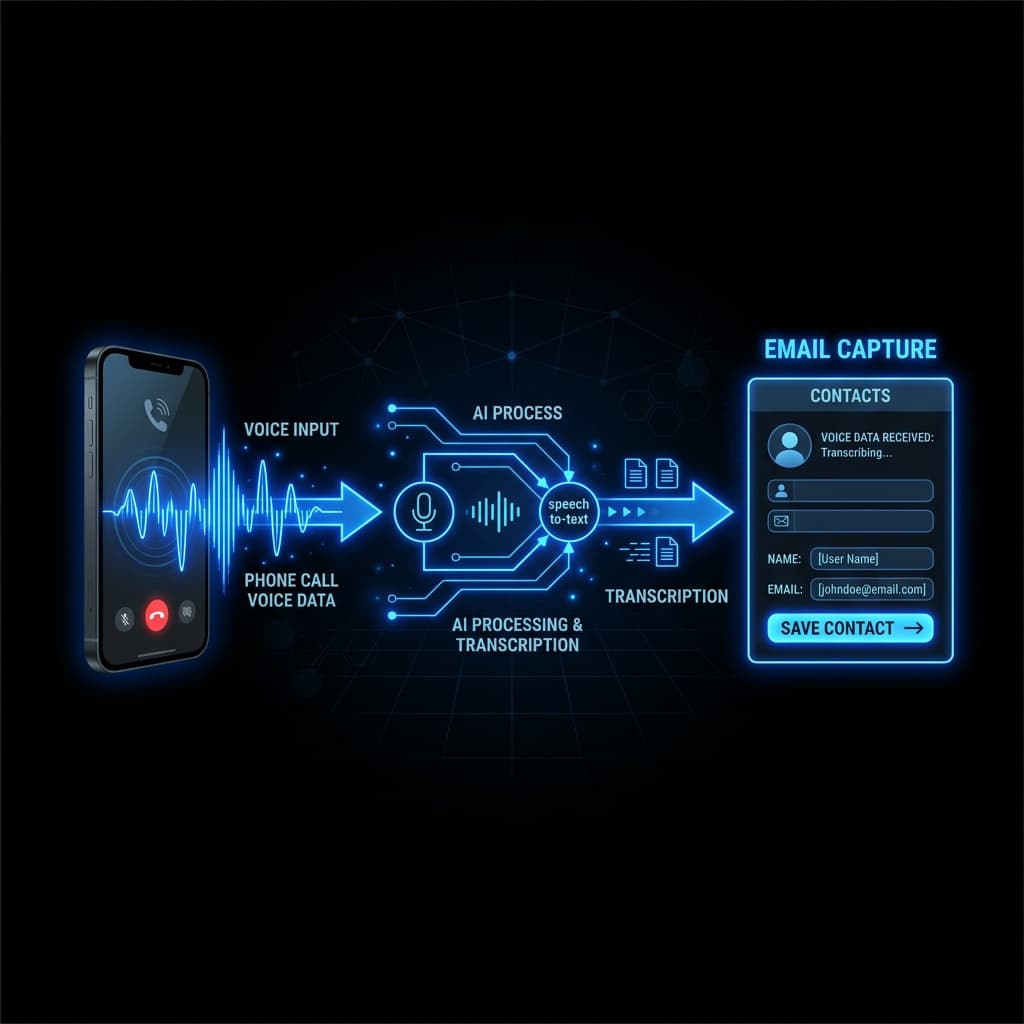
One thing I don't see many Voice AI tutorials or demo videos talking about is email capture.
Getting an AI voice agent to capture someone's email address sounds simple enough until you actually build it and test it with real users. Email addresses are one of those unique inputs where a single wrong character—a misplaced dot, a missed hyphen, or a misheard letter—makes the whole payload completely useless.
Unlike names or street addresses, you can't really get away with being "close enough." Even if your Speech-to-Text (STT) model is highly accurate, there are still quite a few subtle places where the voice pipeline can fail in real client scenarios.
Here is a breakdown of why voice email capture breaks in production, and the practical changes we made that noticeably improved our email capture rates.
The Hidden Bug: TTS Pronunciation and Perceived Failure
One major issue I ran into early on was how different voice synthesis (TTS) models pronounce email addresses when confirming them back to the caller.
The Large Language Model (LLM) would extract the email address perfectly in the backend. However, when the Text-to-Speech (TTS) engine read it back to confirm, it formatted the speech in a way that made the user think the AI had gotten it wrong.
For example:
- An email stored as
john.smith@gmail.comwould sometimes be spoken aloud by the TTS as "john hyphen smith at gmail dot com" or pronounced with strange, unnatural pauses between characters. - Even though there was never a hyphen in the actual email array, the phonetic rendering sounded wrong.
The backend had the exact, correct email address. But because of the awkward TTS readout, the caller immediately interrupted the agent to correct something that wasn't actually wrong in the database. This created unnecessary conversational loops and degraded caller trust.
Caller: "My email is johnsmith@gmail.com"
STT -> LLM: Extracted "johnsmith@gmail.com" [CORRECT]
TTS Output: "Got it, john hyphen smith at gmail dot com, is that right?"
Caller (Interrupting): "No, there's no hyphen!"
3 Changes That Noticeably Improved Our Voice Email Capture Rate
After extensive live testing across production agents, we implemented three key structural changes to fix email verification friction.
1. Give Users a Clear Reason Before Asking for Their Email
In early prompt iterations, the assistant would ask directly:
"Can I have your email address?"
When asked abruptly, users often hesitate, speak hesitantly, or ask why it's needed—leading to stuttering that trips up STT models.
We changed the conversational flow so the assistant provides context before requesting the contact information:
"Perfect, I'll send the quote over right after our call. What's the best email to send it to?"
It is a small phrasing shift, but people are much more likely to respond clearly and naturally when they understand the immediate value of giving their email.
2. Micro-Confirmations Instead of Full Repetitions
When STT accuracy dropped on part of an email, early agents would ask the caller to repeat the entire email address from scratch. Repeating a 25-character string on a mobile phone call is frustrating and prone to compounding errors.
Instead, we instructed the agent to isolate and confirm only the uncertain segment (typically the domain or speller prefix):
- If the local part was clear but the domain was noisy, the assistant asks: "Was that gmail.com?"
- If a single letter was ambiguous, it asks: "Is that Smith with an 'i'?"
This micro-confirmation pattern removed a massive amount of conversational friction and made the assistant sound like an attentive human receptionist.
3. Mid-Call SMS Fallback (The Zero-Friction Route)
When phone audio quality is poor or an email address contains complex alphanumerics, speech-based typing becomes inefficient.
A high-reliability alternative is triggering an automated SMS while on the call:
- The AI voice agent detects a complex email address or multiple confirmation failures.
- The agent states: "I just texted your mobile number a quick link—reply with your email address right there and I'll attach your quote automatically."
- The backend updates the call session state in real time via webhooks while the call remains active.
Quick Comparison: Standard Voice Capture vs. Optimized Email Capture
| Feature | Standard Tutorial Setup | Production-Grade Acumo Setup |
|---|---|---|
| Prompt Trigger | Abrupt ("What's your email?") | Value-first ("I'll send the quote—what's the best email?") |
| TTS Confirmation | Spells full string with symbols | Formats phonetics cleanly to prevent false user corrections |
| Error Recovery | Asks user to repeat entire email | Micro-confirms specific domain/part ("Was that gmail.com?") |
| Noisy Audio Fallback | Loops until call fails | Seamless mid-call SMS text link fallback |
Summary & Key Takeaways for Voice AI Developers
- TTS Readouts Matter as Much as STT Extraction: A correct backend extraction is useless if the TTS readout sounds incorrect to the user. Always sanitize and format email strings before passing them to text-to-speech engines.
- Context Drives Accuracy: Giving users a reason before asking for their email leads to clearer speech responses and higher capture rates.
- Targeted Disambiguation: Don't force users to repeat full emails when only the domain or a single character is in question.
- Small Details Win Production: Email capture doesn't make flashy 30-second Twitter demos, but it is a core bottleneck in real client deployments.
Building production Voice AI agents or automated lead qualification systems? Explore how Acumo engineers low-latency voice infrastructure and CRM integrations built for real business workflows.